
Official photo requirements
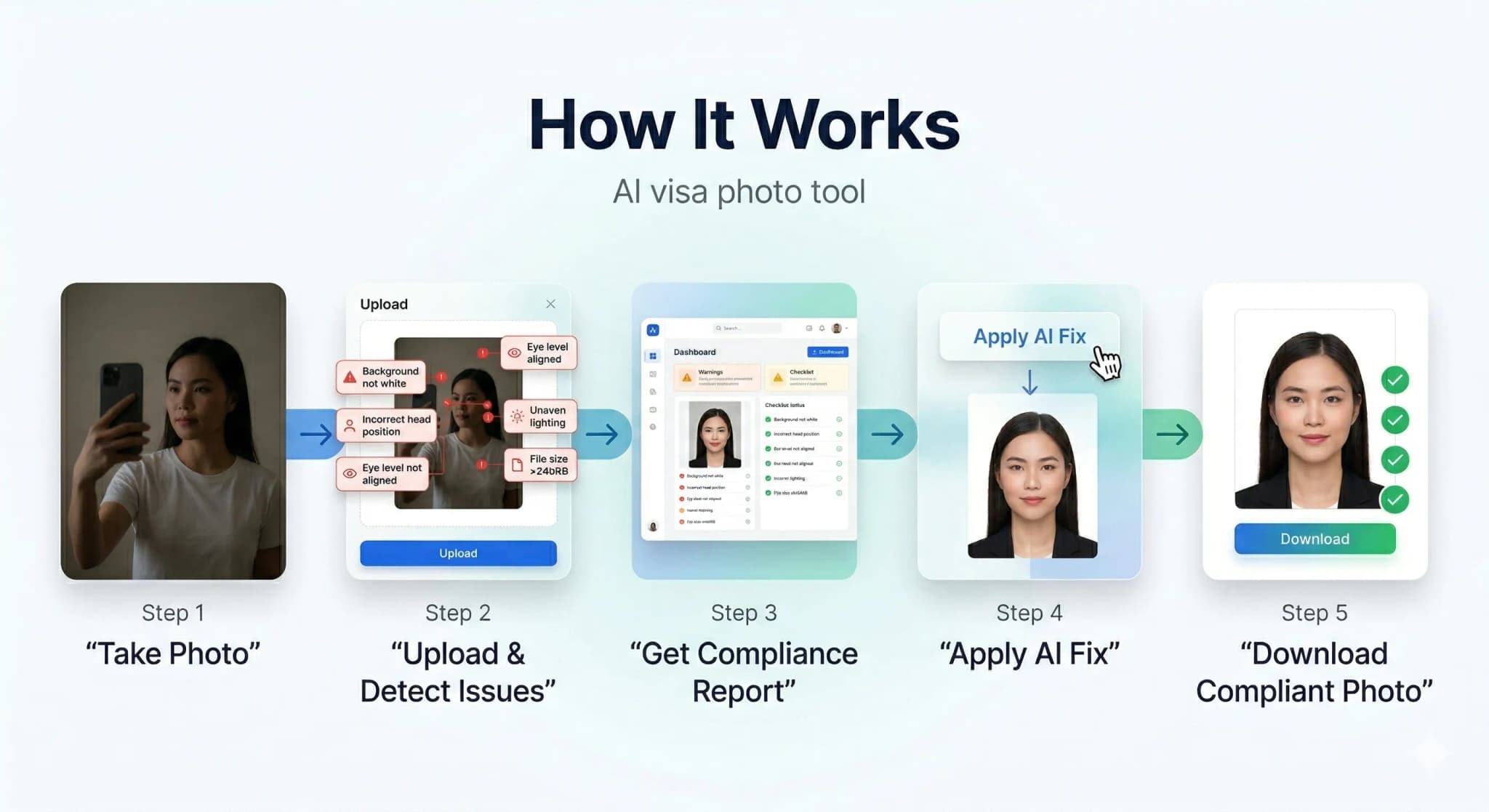
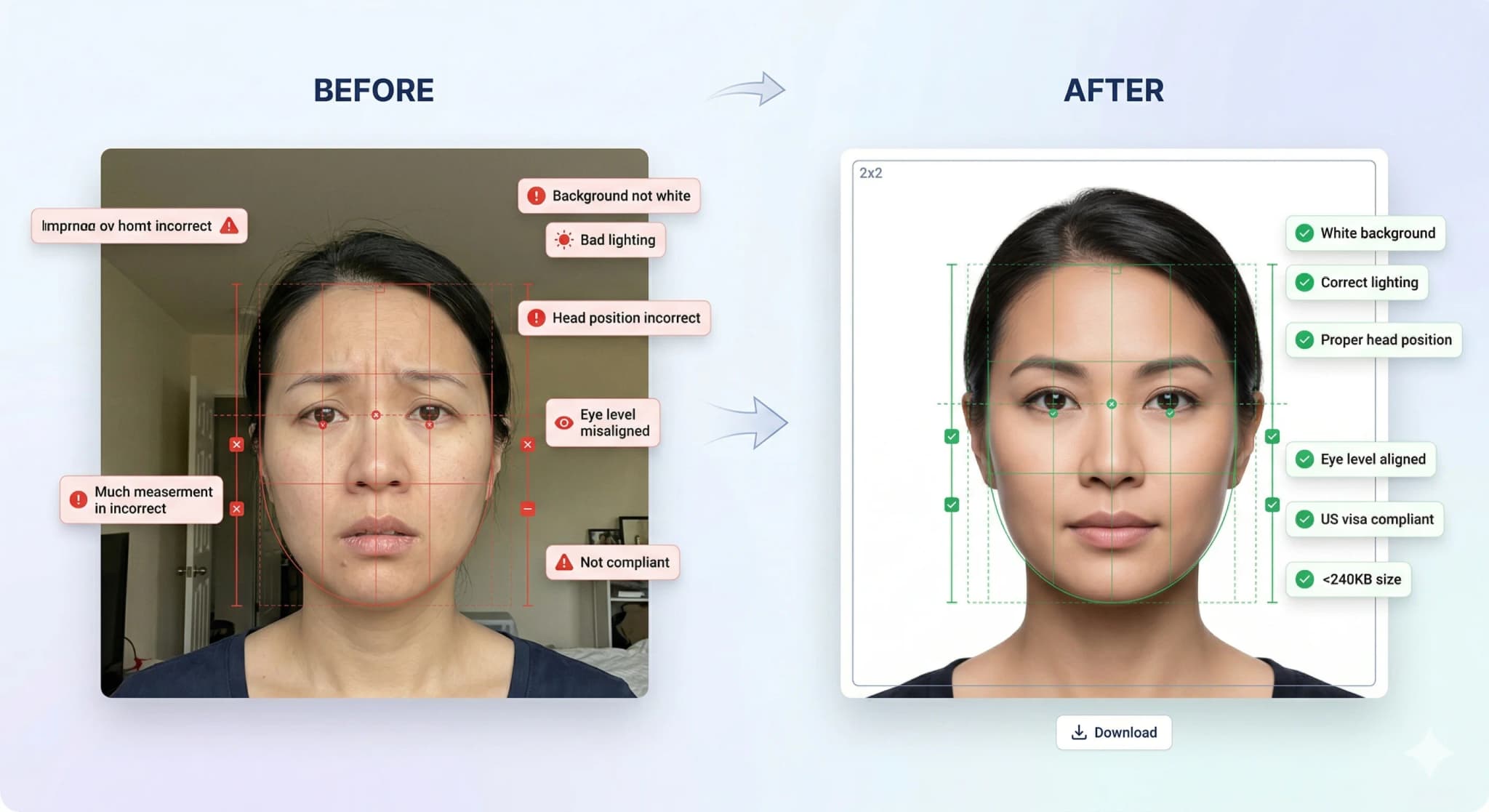
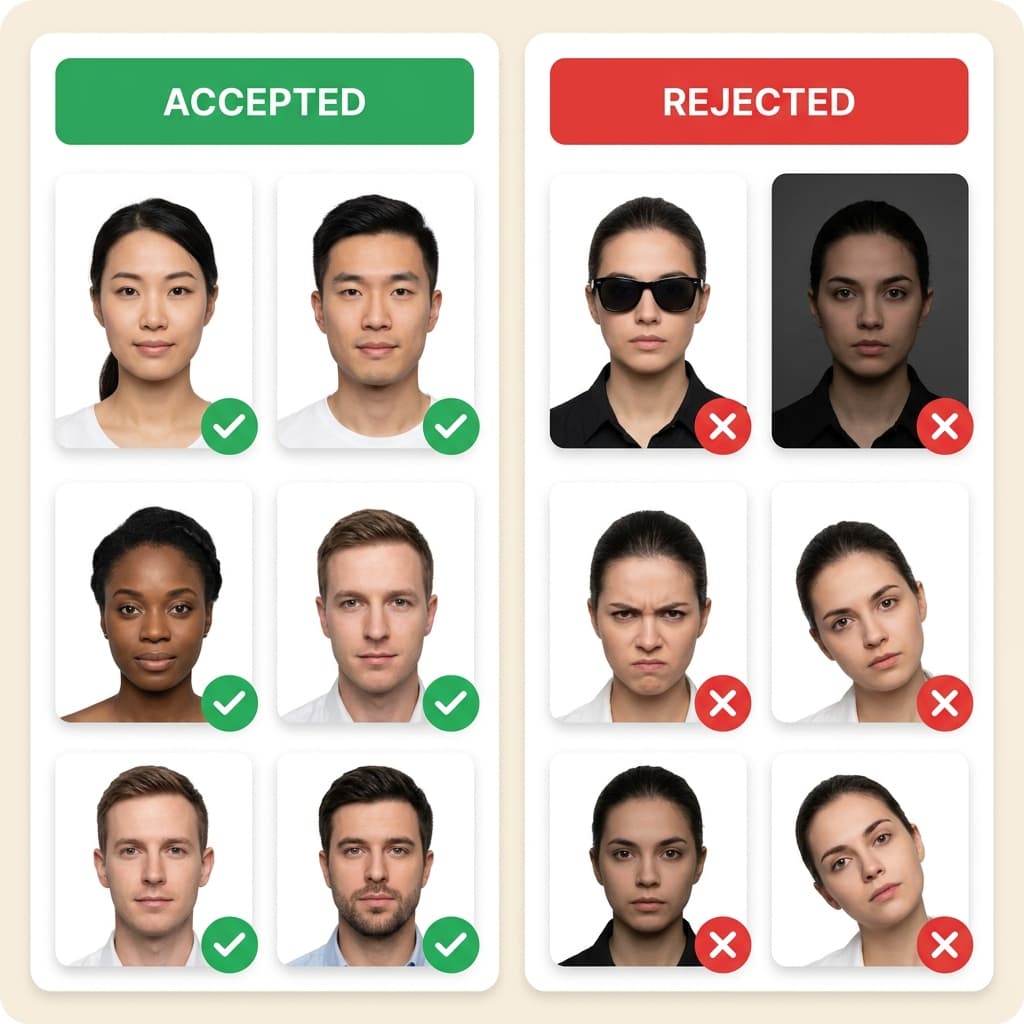
According to the U.S. Department of State, your visa photo for the DS-160 must be 600x600 pixels, have a white background, no glasses, and a file size under 240KB. Most people fail because of small mistakes like incorrect head height (must be 50-69%), shadows, or background tint detected by the CEAC portal. PhotoResizer.us automatically checks and fixes all these requirements. The official state.gov tool only crops; we ensure full compliance so your $185 fee is safe.
Official US Visa Photo Guidelines
| Parameter | Requirement |
|---|---|
| Dimensions | 600x600 px (2x2 inches / 51x51mm) |
| File size | 10KB – 240KB (JPEG format) |
| Background | Plain white background (no shadows) |
| Head height | 50–69% of total image height |
Don't risk a biometric rejection at the embassy. "Invalid Image" or "Illumination Error" on the CEAC portal means your photo is non-compliant. Use our VisaCompliance Studio to run the exact same digital checks the government uses, giving you a 100% guarantee before you submit your $185 application.
Who uses this tool
- General US Visa applicants (DS-160, CEAC portal).
- Anyone preparing for a US consulate interview.
- Users with "Illumination Error" or "Invalid Image" errors.
Step-by-step guide
- Prepare your photo. Use a plain background and even lighting. No filters or editing.
- Upload above. The tool is pre-set with the correct dimensions for this visa type.
- Download and check. Verify file size and dimensions.
- Submit. Upload the compliant photo to the visa application portal.
Related tools
- Background Remover – get a clean white background.
- Background Color Changer – adjust background colour.
- All Visa Photo Tools – browse other visa types.