U.S. Passport Photo Requirements
Complete biometric standards and technical parameters for U.S. Department of State applications — including online renewals via MyTravelGov, first-time applications (Form DS-11), and mail renewals (Form DS-82).
2 × 2 inches
51 × 51 mm
1″ to 1⅜″
50% – 69% of height
600 × 600 px
Up to 1200×1200 px
Plain White
0 shadows / patterns
Prohibited
Zero exceptions
Last 6 Months
Current appearance
Meets official U.S. Code of Federal Regulations standard
Guarantees acceptance for mail and in-person applications
Verified sRGB JPEG format (600–1200 px, 54 KB–10 MB)
Initializing AI Studio...
State Department Dimensional & Positioning Standards
Official proportions per Title 22 of the Code of Federal Regulations (22 CFR 51.26).
2 × 2 inches (51 × 51 mm)
The photo must be a perfect 1:1 square. Digital files must be minimum 600×600 pixels up to 1200×1200 pixels at 300 DPI resolution.
1″ to 1⅜″ (25 to 35 mm)
The applicant’s head (from the bottom of the chin to the top of the hair) must occupy between 50% and 69% of the photo’s total vertical height.
1⅛″ to 1⅜″ (28 to 35 mm)
Eye level must be measured between 1⅛ inches (28 mm) and 1⅜ inches (35 mm) from the bottom edge of the photo.
MyTravelGov (Online Renewal) vs. Paper Applications (DS-11 / DS-82)
Ensure your photo conforms to the exact submission channel requirements.
Critical MyTravelGov Requirement: sRGB Color Space
iPhone camera photos are captured in Display P3 wide color space by default. The State Department MyTravelGov portal strictly rejects Display P3 images without descriptive error messages. Our validator automatically transcodes uploaded images into certified 24-bit sRGB JPEG format.
| Specification Parameter | Online Renewal (MyTravelGov) | First-Time (DS-11) & Mail Renewal (DS-82) |
|---|---|---|
| Submission Format | Digital Upload (JPEG) | Printed Physical Photographs |
| Dimensions | 600×600 px to 1200×1200 px | 2 × 2 inches (51 × 51 mm) |
| Color Profile | 24-bit sRGB (Mandatory) | Full Natural Color |
| File Size / Paper Quality | 54 KB to 10 MB | Matte or glossy photo paper (no copy paper) |
| Quantity Required | 1 Digital Image Upload | DS-11: 2 identical photos | DS-82: 1 stapled photo |
| Eyeglasses Rule | Prohibited | Prohibited |
Official State Department Acceptance Checklist
Ensure your photo complies with every official guideline before submission.
1. Lighting & Shadow Elimination
Light must illuminate both sides of the face evenly. There must be no shadows under the chin, across the nose, or behind the head on the background wall. Flash shadows cause immediate rejection.
2. Facial Expression & Eye Openness
Maintain a neutral expression or a natural, subtle smile. Both eyes must be open, alert, and looking directly into the camera lens. Mouth must remain closed with teeth not excessively exposed.
3. Eyeglasses Ban (Since Nov 2016)
Eyeglasses are banned in all U.S. passport photos. Clear prescription lenses, reading glasses, and transition lenses are not allowed because reflections obstruct automated facial biometric checkpoints.
4. Dress Code & Permitted Headwear
Wear normal everyday street attire. Uniforms, camouflage clothing, hats, and wireless earbuds/headphones are prohibited. Religious headwear is allowed when accompanied by a signed statement.
5. Facial Hair & Alterations
Beards, mustaches, and natural facial hair are completely acceptable. Do NOT use beauty filters, skin-smoothing algorithms, or digital retouching to remove blemishes or change natural features.
6. Infant & Baby Passport Photos
Newborns can be photographed lying flat on a plain white sheet from above. No hands, parent faces, or toys may be visible. Infants under 1 year are given leeway if eyes are not completely open.
Visual Compliance Examples (Pass vs. Fail)
Review official comparison cases validated against State Department guidelines.
11. Plain White Background
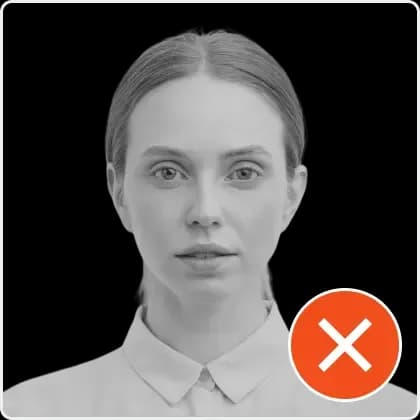
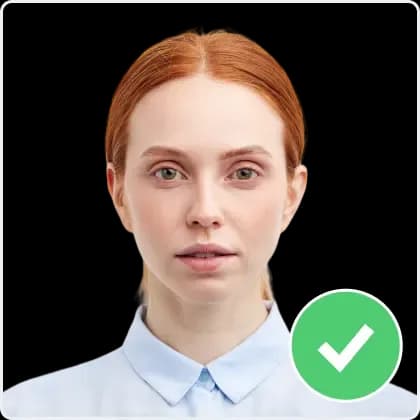
22. Lighting & Zero Shadows
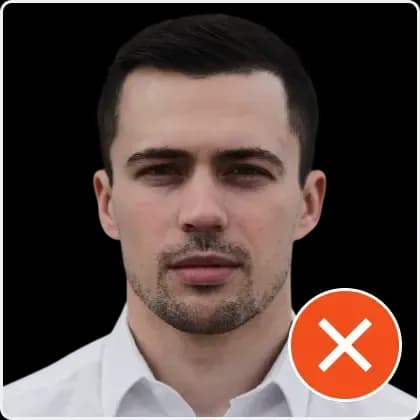
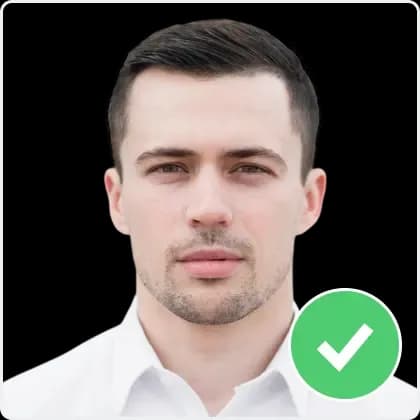
33. Centered & Level Head Pose
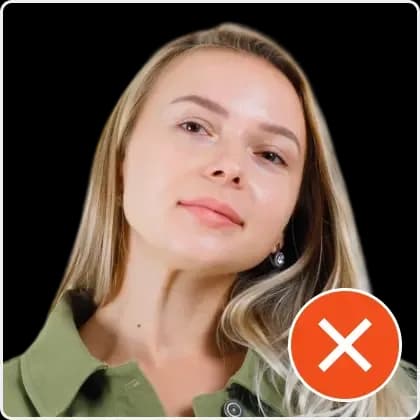
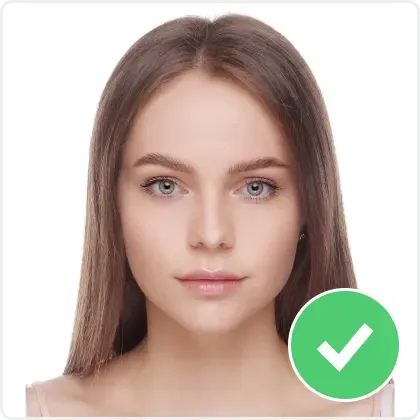
44. Eyeglasses Ban (Since 2016)
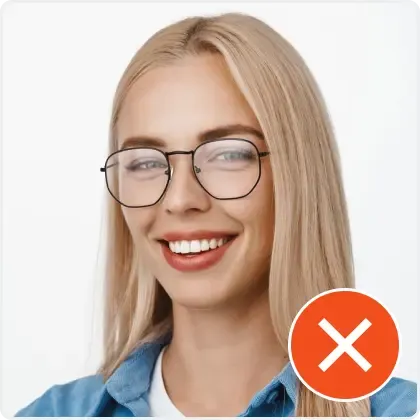
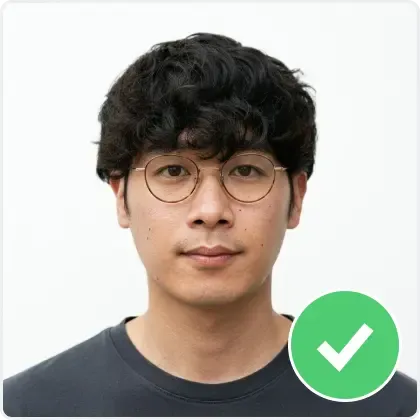
How to Print 2×2″ Photos for $0.39 at Walgreens, CVS, or Target
In-store passport photo desks charge up to $17.99 for two cut prints. Here is how to print them as a standard 4×6″ photo sheet.
The 4×6″ Printable Template Hack:
- Upload your photo to our studio tool above to check compliance and crop to exact 2×2″.
- Download the 4×6 inch Print Template containing two identical 2×2″ photos with cut guides.
- Order a standard 4×6″ print online at Walgreens, CVS, Walmart, or Target for approximately $0.39 (do not order under their specialized "passport photo service").
- Pick up your print, cut along the guidelines with scissors, and submit with your application.
Form DS-11: First-Time Applications
Used by first-time applicants, minors under 16, or individuals whose previous passport expired over 5 years ago (15 years for adults).
- •Must be submitted in person at a passport acceptance facility.
- •Requires two identical 2×2″ color printed photos.
- •Do not attach photos with glue; present them loosely or paperclipped.
Form DS-82: Adult Passport Renewal by Mail
Used for renewing an adult 10-year passport issued within the last 15 years when you were 16 or older.
- •Submitted via USPS Priority Mail or online via MyTravelGov.
- •For mail applications: attach one 2×2″ photo using 4 vertical staples in corners.
- •For MyTravelGov: upload 1 square sRGB JPEG digital file.
Frequently Asked Questions
Direct answers to common questions about U.S. passport photo rules.