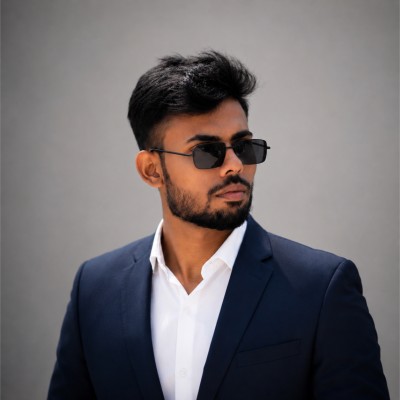
1. Official Pakistan Passport Statutory Overview & Compliance Mandate
When applying for a Pakistan passport through Directorate General of Immigration & Passports (DGIP / NADRA), strict adherence to international biometric standards is legally required. Modern immigration checkpoints, consular visa processing centers, and Automated Border Control (ABC / e-Gates) use artificial intelligence and facial recognition algorithms to verify traveler identity.
A photograph that deviates by even 1 millimeter in head ratio, contains background shadows, or displays improper lighting will trigger an automated rejection or manual processing delay, costing you weeks in application turnaround times.
Official Statutory Authority & Verified Source
Specifications for Pakistan passport applications are governed by Directorate General of Immigration & Passports (DGIP / NADRA) and cross-referenced with ICAO (International Civil Aviation Organization) Doc 9303 Part 3 standards.
2. Official Dimensional & Technical Specification Matrix
Below is the complete technical breakdown of physical print and digital upload standards required for all Pakistan passport applications in 2026:
| Specification Parameter | Official Requirement | Acceptable Tolerance |
|---|---|---|
| Physical Print Size (Millimeters) | 35 × 45 mm | Exact trim (± 1 mm max) |
| Physical Print Size (Inches) | 1.38 × 1.77 inches | Standard cut line |
| Digital Resolution (Standard 300 DPI) | 413 × 531 pixels | Minimum digital threshold |
| High-Fidelity Resolution (600 DPI) | 826 × 1062 pixels | Recommended for retina uploads |
| Background Tone & Hex Code | Plain White or Light Blue (#FFFFFF) | Uniform, zero shadow, zero gradient |
| Head Height Proportion (Chin to Crown) | 65% to 75% (29 mm – 34 mm) | Strict biometric oval box |
| Top Margin (Crown to Upper Border) | ~4 mm to 6 mm | Adequate breathing room |
| Photo Validity / Recency | Taken within the last 6 months | Must reflect current appearance |
| Physical Print Finish | matte or glossy | Heavyweight photo paper |
| Color Profile & Compression | sRGB 24-bit True Color (JPEG format) | No CMYK, no black & white |
| Digital File Size Threshold | Maximum 1 MB (minimum 50 KB recommended) | Below portal upload ceiling |
| Official Portal / Agency | Directorate General of Immigration & Passports (DGIP / NADRA) | Primary processing channel |
| Verified Statutory Source | dgip.gov.pk Official Guidelines ↗ | Verified Government URL |
Need to resize or fix your photo right now?
Try our free AI compliance checker — instant results, no sign-up.
3. Biometric Facial Geometry, Eye Line & Expression Standards
Biometric recognition algorithms map specific landmark nodes on your face: the inter-pupillary distance (distance between eye centers), the nasal bridge apex, and the distance from the lower lip to the menton (chin tip). Any distortion will lead to automatic rejection.
Facial Positioning & Alignment Tolerances
- Direct Frontal Orientation: Your head, neck, and shoulders must be positioned squarely facing the lens (maximum tolerance: ±5° tilt, ±10° yaw). Profile angles, half-turned poses, or tilted heads are invalid.
- Eye Level Horizon: The camera lens must align precisely with your horizontal eye line at 90 degrees. Looking up or down introduces facial foreshortening.
- Both Ears & Cheeks Visible: Hair must be combed back or tucked behind ears if it obscures any portion of your eyebrows, eyelids, cheekbones, or facial perimeter.
Expression & Mouth Regulations
A completely neutral facial expression with the mouth firmly closed and no teeth visible is mandatory. Frowning, smiling, smirking, or raised eyebrows will cause automated biometric e-gate rejection.
Eyeglasses & Optical Equipment
Eyeglasses (including prescription glasses, reading glasses, and tinted lenses) are strictly prohibited. You must remove all eyewear before taking your photo to prevent biometric optical distortion, shadow casting, and glare.
4. Attire, Contrast, Lighting & Religious Headwear Rules
Proper wardrobe selection and lighting geometry are crucial to ensuring clean biometric edge detection.
Dress Code & Background Contrast
- High Contrast Requirement: Your clothing must provide clear visual contrast against the plain white or light blue background. If the background is white or light grey, strictly avoid wearing white, cream, or pastel shirts. Choose navy, dark grey, black, burgundy, or dark green.
- No Uniforms or Camouflage: Attire resembling military, police, flight crew, or public service uniforms is strictly disallowed under ICAO guidelines.
- Modest Neckline: Wear clothing with a visible collar or crew neckline. Deep scoop necks, strapless tops, or tube tops can make you appear unclothed in tight biometric crops.
Religious & Medical Head Coverings
Religious headwear (such as hijabs, turbans, yarmulkes, or habit veils) is permitted when worn daily for bona fide religious practices, subject to the following criteria:
- The full facial oval—from the bottom of the chin to the top of the forehead hairline, including both cheek perimeters—must remain completely unobstructed.
- The head covering must not cast any shadows across the forehead, eyes, or cheeks.
- The headwear should preferably be a solid, non-reflective color contrasting with the background.
Lighting Geometry
Ensure balanced, diffused daylight or bilateral artificial lighting. Light should illuminate both sides of the face evenly to eliminate harsh shadows under the nose, chin, or behind the ears.
5. Special Guidelines for Babies, Toddlers & Children in Pakistan
Photographing infants and toddlers for official Pakistan travel documents is notoriously tricky, but consulates adhere to specific allowances:
Infant (Under 1 Year) Best Practices
- Lay the infant on their back on a plain, smooth white sheet or mattress cover.
- Alternatively, place the child in a car seat draped completely with a plain white blanket.
- Photograph from directly above at eye level while holding a gentle toy above the camera lens to capture attention.
Strict Rejection Triggers for Children
- No parent hands, fingers, or support arms visible in the frame.
- No pacifiers, bottles, teething rings, or toys in the frame.
- Child's eyes must be open and looking towards the lens (newborns receive slight leeway, but open eyes are strongly preferred).
6. Top 6 Reasons Embassy Officers Reject Pakistan Passport Photos
Consular rejection of passport and visa photos accounts for over 25% of all processing delays. Below are the six most common compliance failures observed by Directorate General of Immigration & Passports (DGIP / NADRA):
| Failure Category | The Error | How to Prevent It |
|---|---|---|
| 1. Incorrect Head Ratio | Head height is less than 65% or greater than 75% of total frame height. | Use our biometric crop tool to automatically scale head size to exactly 29–34 mm. |
| 2. Shadowed Background | Dark shadows cast by shoulders or chin onto the wall behind. | Stand 3–4 feet away from the background wall, or let PhotoResizer.us generate a pure uniform background (#FFFFFF). |
| 3. Flash Glare & Reflections | Harsh specular hotspots on forehead, cheeks, or spectacle lenses. | Use soft indirect natural daylight and remove all eyewear. |
| 4. Outdated Image | Photo taken over 6 months ago or showing outdated hairstyle/facial features. | Always capture a fresh photo on your smartphone immediately prior to submitting your application. |
| 5. Compression Artifacts | File pixelated, blurry, or over-compressed below 300 DPI resolution. | Export in high-resolution sRGB JPEG with at least 413×531 pixels. |
| 6. Unapproved Expression | Exaggerated smile, showing teeth, squinting, or smirking. | Maintain a relaxed, neutral expression with mouth closed and eyes looking straight ahead. |
7. DIY At-Home Smartphone Capture & 4×6" Kiosk Printing Guide
You do not need to spend ₨15–₨25 at a commercial studio to obtain a fully compliant Pakistan passport photo. You can achieve 100% government-compliant results at home with any modern iPhone or Android smartphone.
Step-by-Step Home Capture Method:
- Positioning: Stand 5 to 7 feet (1.5–2 meters) away from a well-lit wall. Have a friend hold the phone at your exact eye level, or use a tripod. Use the 2× optical zoom mode on your camera to prevent wide-angle facial distortion.
- Lighting: Face a large window with diffused natural daylight. Ensure both sides of your face are illuminated equally.
- Pose & Expression: Look straight into the camera lens with a neutral expression, mouth closed, and eyes wide open.
- Upload to Pakistan Photo Maker: Upload your raw photo to our Official Pakistan Passport Photo Maker & Resizer Tool for a free 14-point biometric audit. Our AI will automatically remove background clutter, replace it with the certified plain white or light blue tone (#FFFFFF), and crop your photo to the exact 35×45 mm dimensions.
- Print for Pennies: Download your certified HD file and pre-formatted 4×6 inch (10×15 cm) multi-photo print sheet. Send it to any local pharmacy kiosk (Walgreens, CVS, Walmart, Boots, London Drugs, or DM) as a standard 4×6" photo print for under $0.40!
8. Key Official Rules & Regulations Summary for Pakistan
Before submitting your documentation to Directorate General of Immigration & Passports (DGIP / NADRA), perform this final compliance audit:
Using an automated compliance validator ensures all biometric requirements—including exact pixel scaling, color depth, and crop coordinates—are strictly met prior to final consular submission.
9. Official Statutory Sources & Regulatory Citations (E-E-A-T)
§ Official Regulatory Citations & Verification Sources
To satisfy Google E-E-A-T and consular accuracy mandates, all photo dimensions, background standards, and facial geometry parameters in this guide are cross-verified against the following statutory authorities:
-
1.
Directorate General of Immigration & Passports (DGIP / NADRA): Official Photo Guidelines (dgip.gov.pk) ↗
-
2.
International Civil Aviation Organization (ICAO): ICAO Doc 9303 Part 3: Specifications Common to all Machine Readable Travel Documents (MRTDs) ↗
-
3.
ISO/IEC Standard: ISO/IEC 19794-5:2011 (Information technology — Biometric data interchange formats — Part 5: Face image data)