Official photo requirements
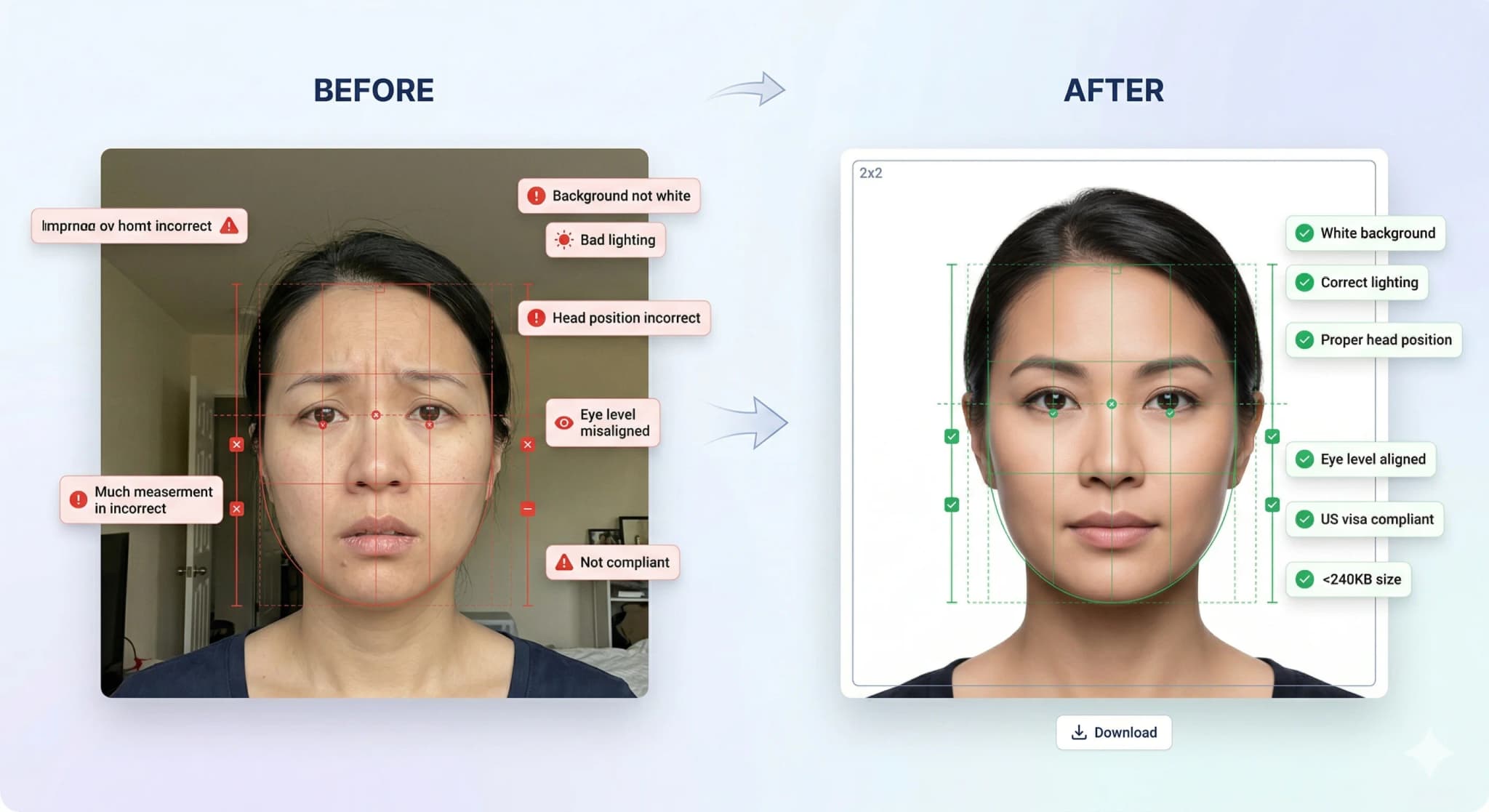
UAE employment visa applications require a passport-style photo with a white background. The General Directorate of Residency and Foreigners Affairs (GDRFA) has specific digital requirements.
UAE Employment Visa Photo Requirements
| Parameter | Requirement |
|---|---|
| Dimensions | 43 × 55 mm (508 × 650 px) |
| File size | 10KB – 500KB (JPEG) |
| Background | White |
| Head covering | Allowed for religious reasons |
Who uses this tool
- Expats applying for UAE work visa.
- Companies sponsoring employee visas.
Step-by-step guide
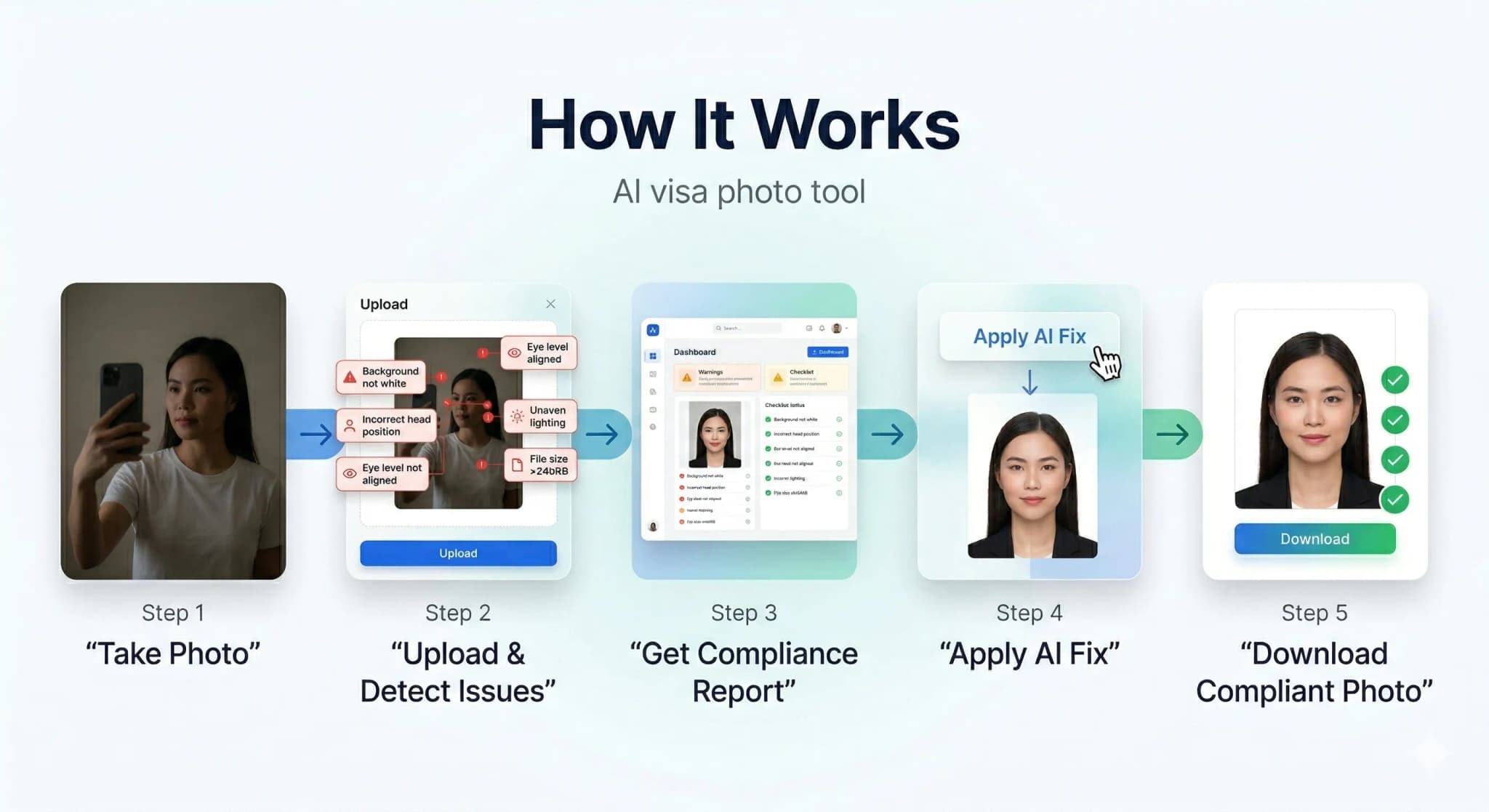
- Prepare your photo. Use a plain background and even lighting. No filters or editing.
- Upload above. The tool is pre-set with the correct dimensions for this visa type.
- Download and check. Verify file size and dimensions.
- Submit. Upload the compliant photo to the visa application portal.
Related tools
- Biometric Studio – official ICAO 9303 compliance & white background.
- Background Color Changer – adjust background colour.
- All Visa Photo Tools – browse other visa types.
Frequently Asked Questions
What are the photo requirements for UAE Employment Visa Photo?
The exact dimensions and file size limits are listed in the requirements table above. Always verify with the consulate or visa application centre for the most current requirements.
Can I resize my visa photo at home?
Yes. Use this tool to resize your photo to the exact specifications required by the visa application portal. Process everything in your browser — no uploads to external servers.
What background colour is needed for visa photos?
Most visa applications require a white or light-coloured background. Check the specific requirements table above for your visa type.
Can I wear glasses in my visa photo?
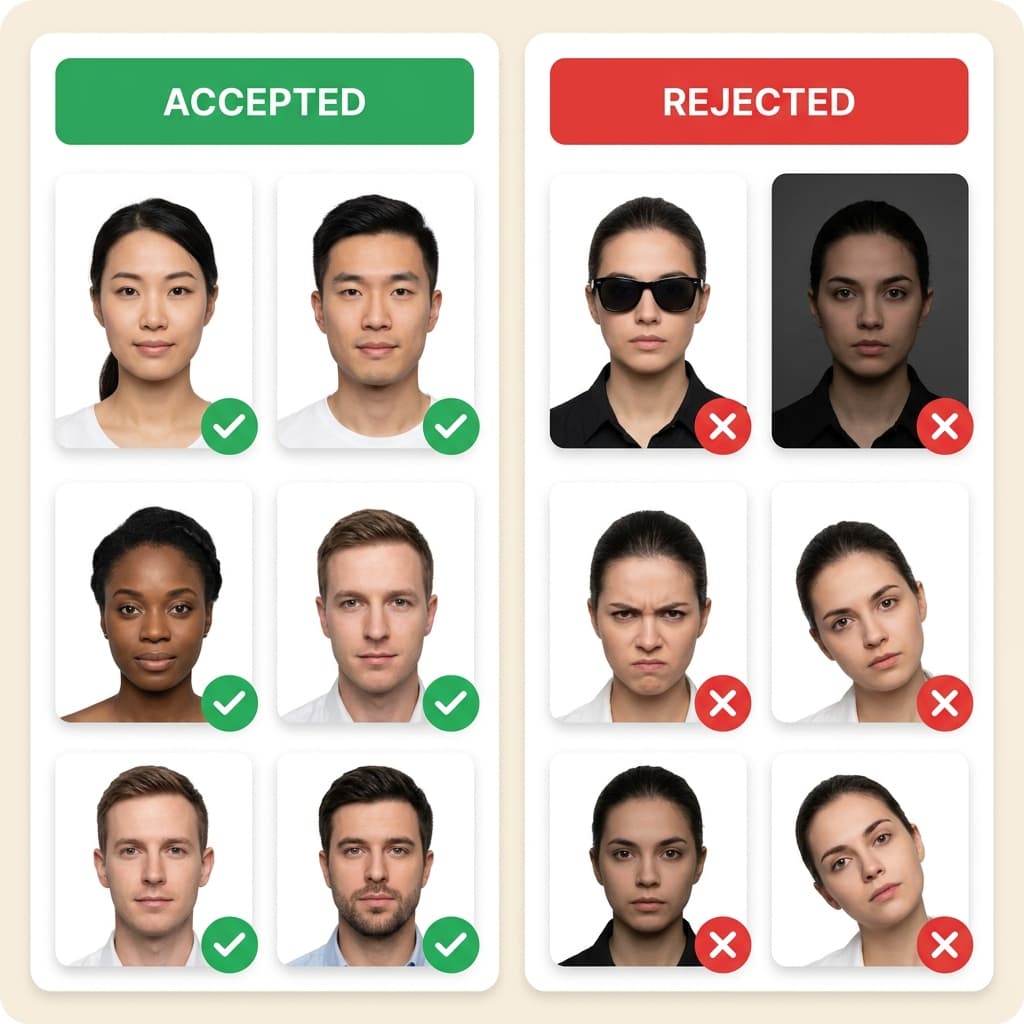
For most countries, including the US, glasses are strictly prohibited in visa or passport photos. Even if you wear them daily, you must remove them to avoid glare and ensure your eyes are completely visible.
Can I take my visa photo with a smartphone?
Yes! Modern smartphones have excellent cameras. Use the back camera, stand about 3-4 feet away against a plain wall, face a window for natural light, and have someone else take the picture. Then, use our AI tool to check compliance and crop it to the correct size.
What clothing should I wear for my photo?
Wear normal daily clothing. Do not wear uniforms (unless it is religious clothing worn daily). It is highly recommended to wear a dark or bright colour so you don't blend into the plain white background.
How recent does my photo need to be?
Your photo must have been taken within the last 6 months to reflect your current appearance. Using an old photo from a previous passport or visa will cause your application to be rejected.