Introduction: Why the DV Lottery Photo Matters More Than You Think
The Diversity Visa (DV) Program, commonly known as the Green Card Lottery, is a life-changing opportunity for millions of people worldwide. However, every year, a staggering number of entries are disqualified before they even reach the selection stage. According to official reports, nearly 30-40% of disqualifications are due to non-compliant photographs.
The U.S. Department of State uses sophisticated facial recognition and administrative software to scan every single entry. If your photo fails to meet even one technical specification—whether it's the head height being off by a few pixels or a subtle shadow on the background—your application is automatically discarded. You won't even receive a notification that you were disqualified; you'll simply see "Has Not Been Selected" when checking your results.
This guide provides the most comprehensive breakdown of the DV-2026 photo requirements, ensuring your photo is perfect on the first upload.
Official DV-2026 Photo Specifications (Technical)
Before taking your photo, you must understand the "Hard Rules." These are the non-negotiable technical requirements that the automated system checks immediately upon upload.
| Technical Parameter | Official Requirement |
|---|---|
| File Format | JPEG (.jpg) |
| Maximum File Size | 240 Kilobytes (240 KB) |
| Aspect Ratio | 1:1 (Square) |
| Minimum Dimensions | 600 x 600 pixels |
| Maximum Dimensions | 1200 x 1200 pixels |
| Color Depth | 24-bit Color (sRGB) |
| Compression Ratio | Should be 20:1 or less |
At PhotoResizer.us, we specifically built tools that handle these exact parameters. For example, if your photo is 2MB, our tool will compress it to under 240KB while maintaining the 600x600px resolution required by the State Department.
Need to resize or fix your photo right now?
Try our free AI compliance checker — instant results, no sign-up.
Compositional Requirements: The "Golden Ratio" of Face Placement
Technical specs are only half the battle. The government also mandates precise compositional rules for how your face is positioned within the 600x600 pixel square.
- Head Height: Your head (measured from the top of the hair to the bottom of the chin) must cover between 50% and 69% of the image's total height. In a 600x600px image, this means your head should be between 300 and 414 pixels high.
- Eye Level: Your eyes must be positioned between 56% and 69% of the way up from the bottom of the image. For a 600x600px photo, the eyes should be 336 to 414 pixels from the bottom edge.
- Full Face Visibility: You must face the camera directly. Profiles or "hand-on-chin" poses are strictly forbidden. Both ears do not necessarily need to be visible, but your face must be centered and fully exposed.
Background and Lighting: No Room for Shadows
The background must be plain white or off-white. This sounds simple, but it's where most DIY photos fail. Many "white walls" appear grey, blue, or yellow under household lighting. To ensure a pass:
- Avoid Shadows: There should be no shadows on your face, especially under the nose or chin. More importantly, there should be no shadows behind you on the wall.
- Uniform Lighting: Use natural light if possible. Stand 3-5 feet in front of a window. Avoid using a direct camera flash, which often creates "hot spots" or reflections on the forehead and nose.
- Background Texture: Ensure the wall is smooth. Visible wallpaper patterns or brick textures will result in immediate disqualification.
If your background isn't perfect, use our Background Changer to swap it for a digitally verified pure white backdrop.
Attire and Accessories: What to Wear (and What Not to)
The general rule is to wear "normal street attire." You should look as you do on a typical day.
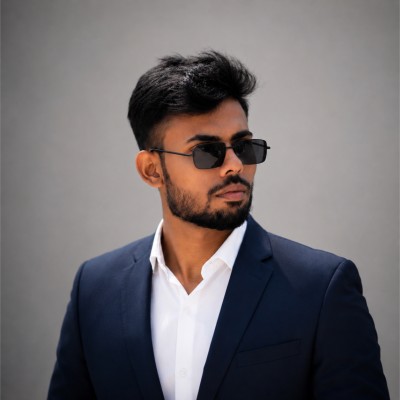
- Glasses: As of 2016, eyeglasses are strictly prohibited in all U.S. visa and passport photos. Even if you wear them for medical reasons, you must remove them for the photo.
- Headwear: Hats, caps, and headbands are not allowed. The only exception is for religious headwear (like a hijab or turban) that you wear daily. Even then, the headwear must not obscure any part of your face (from hairline to chin).
- Uniforms: Military, police, or airline uniforms are not permitted.
- Headphones: Wireless devices, earpieces, or headphones must be removed.
Step-by-Step DIY Guide: Taking Your DV Photo with a Smartphone
- Lighting: Find a well-lit room with natural light. A window should be in front of you, not behind you.
- Background: Stand about 2 feet away from a white wall to minimize shadows cast by your body.
- The Photographer: Have a friend take the photo using the rear camera. Avoid selfies as they distort facial proportions.
- Expression: Keep a neutral expression. Look directly at the lens. Do not smile, and keep your mouth closed.
- Processing: Upload the raw photo to PhotoResizer.us. Our tool will crop it to 600x600px and ensure the file size is under 240KB.
Detailed DV Lottery Photo FAQs (Updated for 2026)
Here are the most common questions from applicants worldwide regarding the DV-2026 photo requirements.
Regional Tips: Overcoming Local Challenges
Depending on where you are in the world, taking a perfect DV lottery photo can present unique challenges. In many regions, professional photo studios are not familiar with the strict 600x600px square requirement and often provide "standard" rectangular passport photos instead.
- Africa & South Asia: If you are using a local studio, insist on the digital file, not just prints. Many applicants make the mistake of scanning a printed photo, which degrades quality. Use your phone to take a high-resolution photo in natural daylight instead.
- European Standards: Standard EU passport photos are 35x45mm (rectangular). Do not use these for your DV entry. You must crop them to a square 1:1 ratio.
- Lighting Conditions: In areas with inconsistent power, avoid taking photos at night under fluorescent bulbs. The "buzzing" flickers of these lights often create green or yellow tints that software detects as "unnatural color," leading to rejection.
The "Digital Alteration" Trap
One of the most common reasons for DV Lottery disqualification is over-editing. U.S. consulate officials are trained to spot photos that have been "filtered" or retouched. What is allowed: cropping, resizing, and professionally removing a background to make it white. What is NOT allowed: smoothing skin, whitening teeth, changing eye color, or using AI to generate a more "perfect" version of your face.
If you use an AI tool to remove your background, ensure it doesn't affect your hair outlines. Messy hair is better than a "cut-out" look that appears fake.