Instant Fix for DS-160 Photo Upload Errors
Quick fix for DS-160 photo upload errors. Resolve "Too dark", "Too small", or "Background error" in seconds with our AI tool.
Upload Your Photo
Drag & drop or browse from your device. Supports JPG, PNG, and WebP.
100% Compliant
Exact ratios for US, Canada, UK, Schengen & 195+ nations.
Zero Feature Alteration
Preserves natural facial identity per strict consular rules.
Digital & Print Ready
Instant digital download + 4×6″ printable photo template.
A DS-160 photo error is a failure of the online validation tool on the Consular Electronic Application Center (CEAC) website.
Quick Summary
Check your photo free against the official specs, then download a compliant file for $4.99 — far less than a pharmacy photo counter.
Key Facts — US Visa Photo Requirements
Not sure if your photo passes?
Upload it now for a free, instant 14-point AI compliance check — no sign-up required.
Why Does Photo Compliance Matter for Your Visa?
What Do Compliant vs. Rejected Photos Look Like?
Avoid these common biometric rejection reasons by following the official standards below.
1Correct DS-160 Photo Background (Pure White)
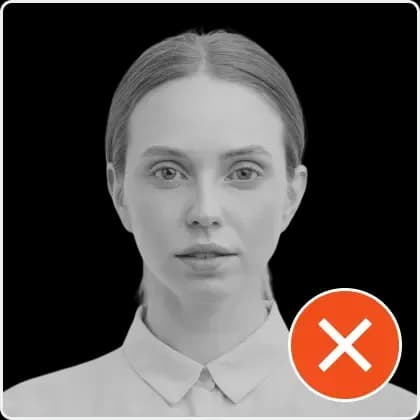
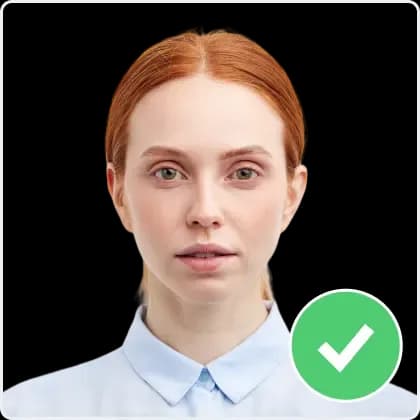
2DS-160 Illumination Check: Zero Shadows
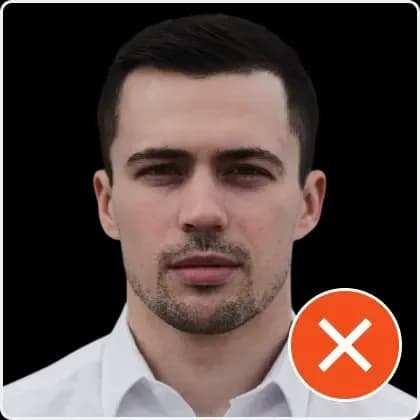
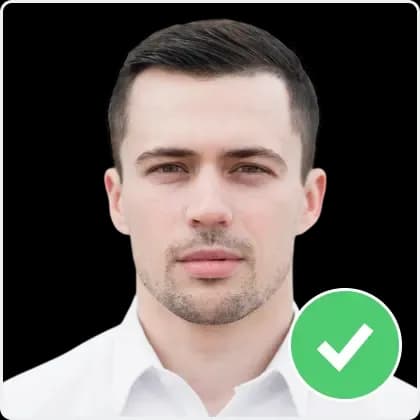
3Biometric Head Alignment for US Visa
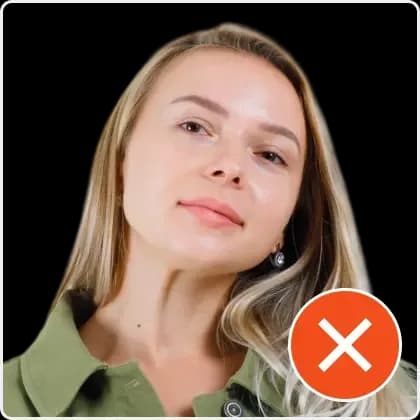
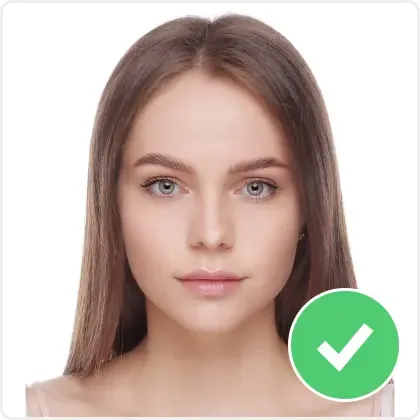
4Official Neutral Facial Expression


How Do I Fix My Photo for This Requirement?
Upload your failing image to our specialized DS-160 fixer.
The AI will re-encode the image into a clean JPEG format.
Background and lighting are normalized to pass the CEAC AI scanner.
Download the optimized file.
Ready to apply these steps?
Upload your photo and let our AI fix all compliance issues automatically in under 30 seconds.
People Also Ask
How do I bypass the DS-160 photo error?
You cannot bypass it; you must provide a compliant photo that the system accepts.
Can I upload a photo later?
Yes, the DS-160 allows you to proceed without a photo, but you MUST bring a compliant physical photo to the interview.
How It Works
Get your compliant visa photo in under 30 seconds. No studio visit needed.
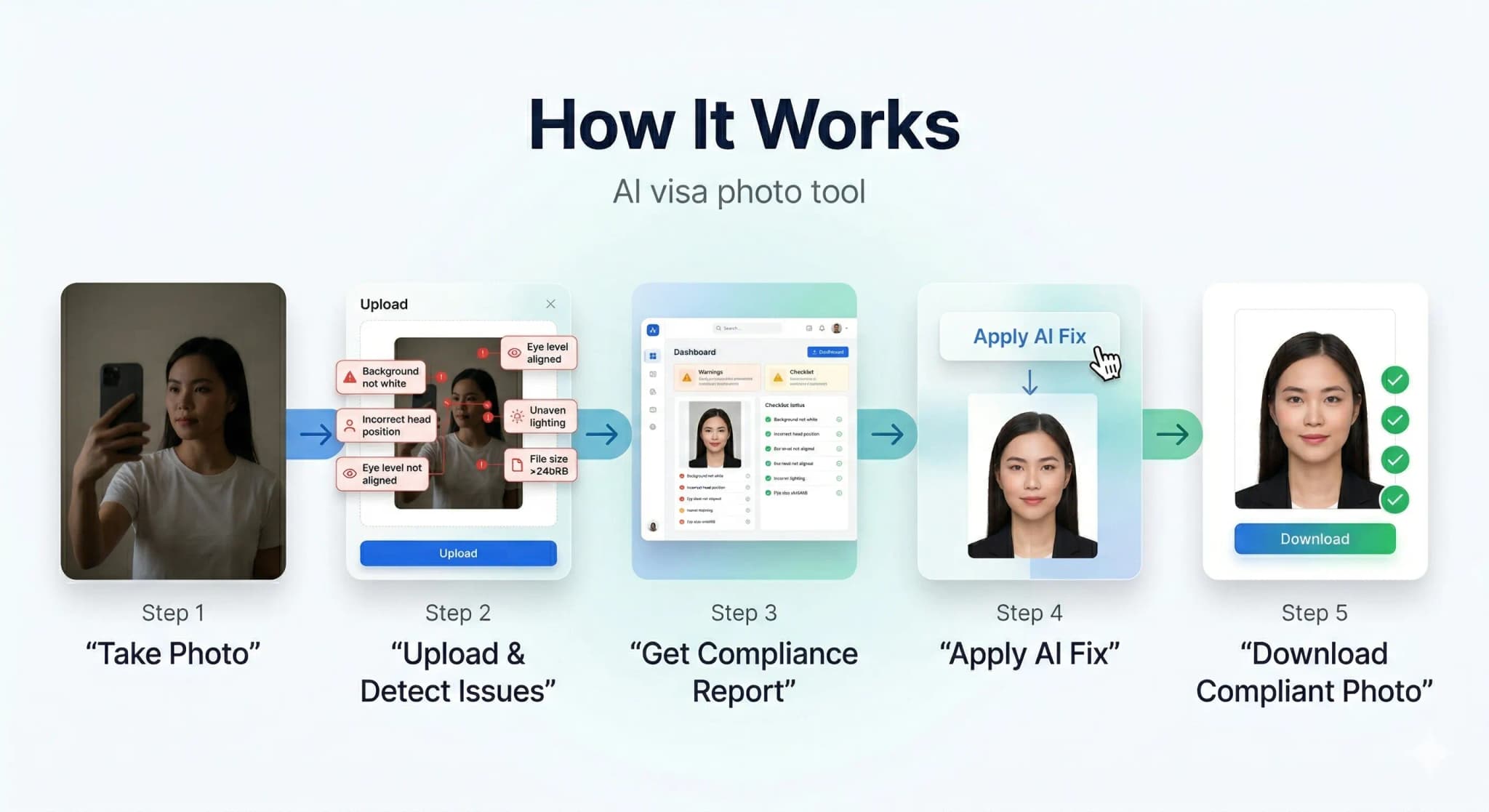
Upload or Snap
Upload any photo or use your camera. Our AI works with selfies, casual shots — anything.
AI Auto-Correction
Background removal, face centering, lighting fix, size compliance — all done by AI in seconds.
Download & Submit
Get your compliant photo instantly. Digital + print-ready formats available.
See the AI Difference
Our AI automatically corrects background, lighting, alignment, and sizing to meet strict government requirements.
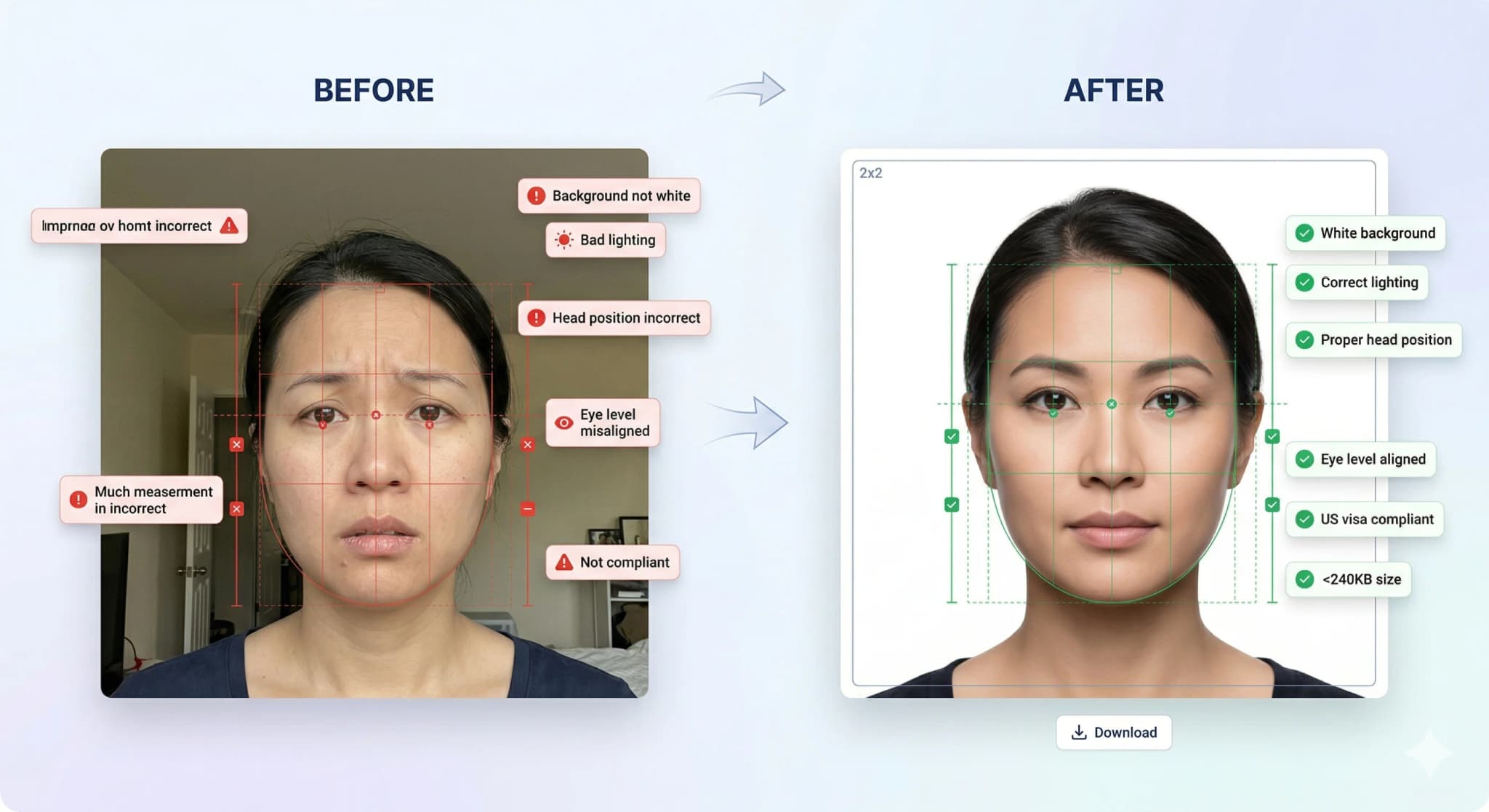
Background Removal
Pure white background
Head Straightening
Corrects tilt & rotation
Lighting Fix
Even, balanced exposure
Smart Crop
Perfect face positioning
Accepted vs Rejected Photos
30% of visa applications are delayed due to non-compliant photos. Don't be one of them.
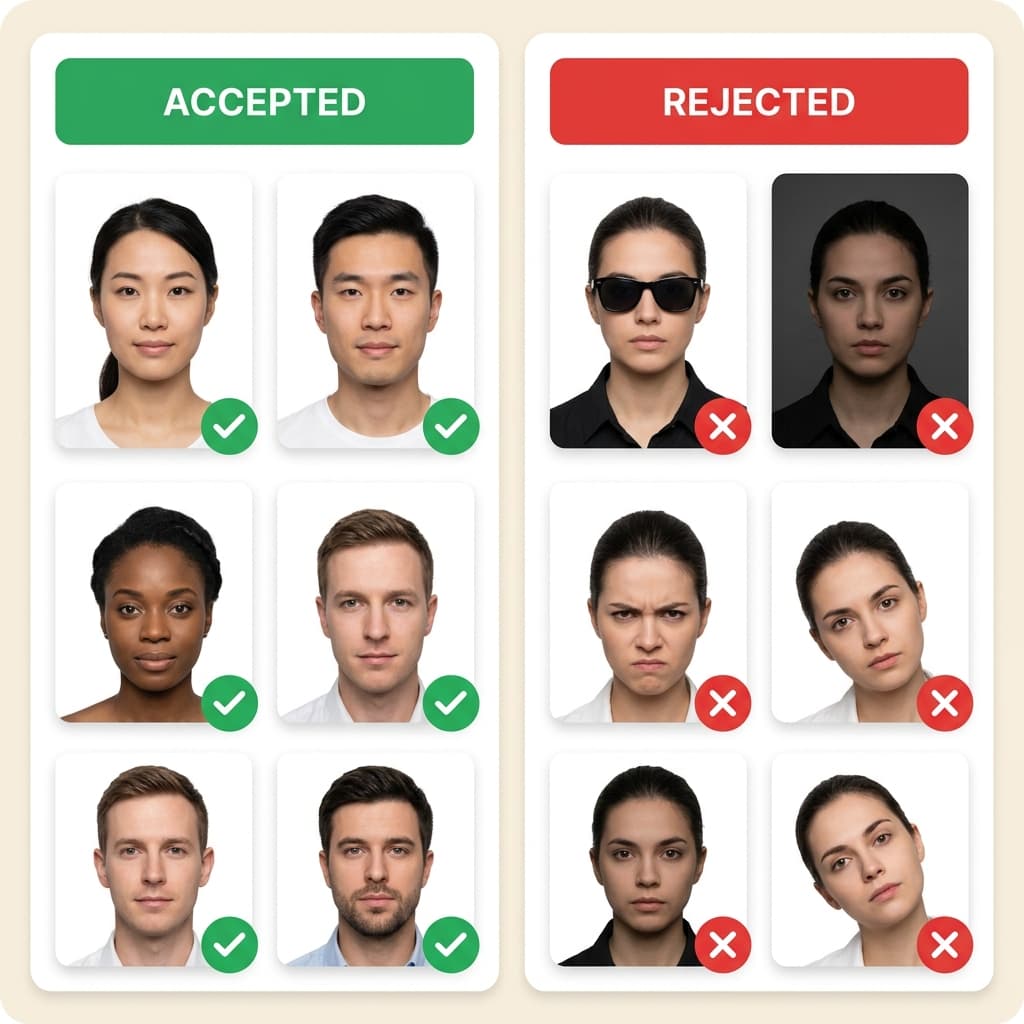
Top Rejection Reasons
- ✗ Wrong background color (not pure white)
- ✗ Wearing eyeglasses or glare on lenses
- ✗ Head tilted or turned off-center
- ✗ Wrong photo millimeter dimensions
Our AI Guarantees
- Pure white background every time
- Auto head straightening & centering
- Exact size per country specs
- 14-point compliance check
600×600
DS-160 pixel output
≤ 240 KB
Upload-ready file size
< 30s
Average processing time
24h
Uploads auto-deleted
Used PhotoResizer.us? Tell others how it went
Your honest feedback helps other applicants and helps us improve.
Ready to Get Your Compliant Photo?
Check your photo free against the official specs, then download a compliant file. It takes less than 30 seconds.
Frequently Asked Questions
What is the required image resolution?
Related US Visa Photo Topics
Explore Further
Ready to fix your photo?
Check your photo free against the official specs, then download a compliant file. It takes less than 30 seconds.