Online Passport & Visa Photo Maker
Crop and format your photo to exact government millimeter and pixel dimensions. Validated against official ICAO Doc 9303, ISO/IEC 19794-5, and embassy standards.
Upload Your Photo
Drag & drop or browse from your device. Supports JPG, PNG, and WebP.
100% Compliant
Exact ratios for US, Canada, UK, Schengen & 195+ nations.
Zero Feature Alteration
Preserves natural facial identity per strict consular rules.
Digital & Print Ready
Instant digital download + 4×6″ printable photo template.
US Visa Photo Rejected? Here’s How to Fix It Instantly
A US visa photo rejection occurs when your submitted image fails to meet the strict biometric standards set by the U.S. State Department. This includes specific rules for size (2x2 inches), background (pure white), and facial expressions.
Quick Summary
A US visa photo rejection occurs when your submitted image fails to meet the strict biometric standards set by the U.S. State Department. This includes specific rules for size (2x2 inches), background (pure white), and facial expressions. Use PhotoResizer.us to check compliance for free and download a guaranteed-compliant photo for $4.99 — 70% cheaper than CVS or Walgreens.
Key Facts — US Visa Photo Requirements
What Is US Visa Photo Rejected Here’s How to Fix It Instantly?
Not sure if your photo passes?
Upload it now for a free, instant 14-point AI compliance check — no sign-up required.
Why Does Photo Compliance Matter for Your Visa?
How Do I Fix My Photo for This Requirement?
Upload your rejected photo to our VisaCompliance Studio.
Our AI automatically replaces the background with a compliant pure white.
The tool resizes the image to exactly 600x600 pixels.
It performs a 14-point check for shadows, lighting, and centering.
Download the verified, 100% compliant JPEG file.
Ready to apply these steps?
Upload your photo and let our AI fix all compliance issues automatically in under 30 seconds.
People Also Ask
What is the most common reason for US visa photo rejection?
The most common reasons are improper background color (not pure white) and shadows on the face or background.
Can I fix a rejected photo myself?
Manually editing a photo often leads to "unnatural" results that are rejected by AI scanners. Using VisaCompliance Studio ensures strict government biometric rules are met.
How long does it take to fix a rejected photo?
With our VisaCompliance Studio AI, the entire correction process takes less than 30 seconds.
How It Works
Get your compliant visa photo in under 30 seconds. No studio visit needed.
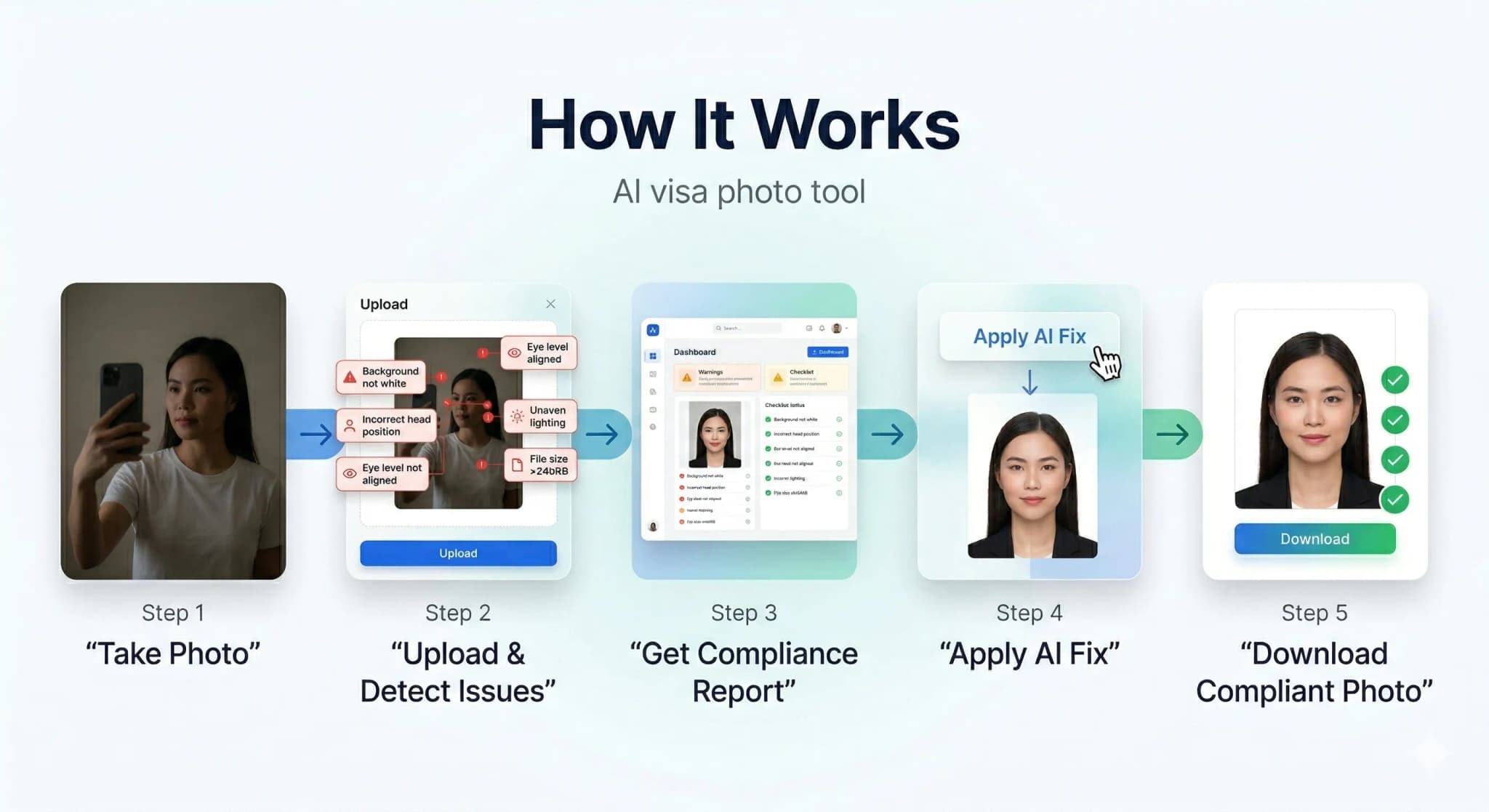
Upload or Snap
Upload any photo or use your camera. Our AI works with selfies, casual shots — anything.
AI Auto-Correction
Background removal, face centering, lighting fix, size compliance — all done by AI in seconds.
Download & Submit
Get your compliant photo instantly. Digital + print-ready formats available.
See the AI Difference
Our AI automatically corrects background, lighting, alignment, and sizing to meet strict government requirements.
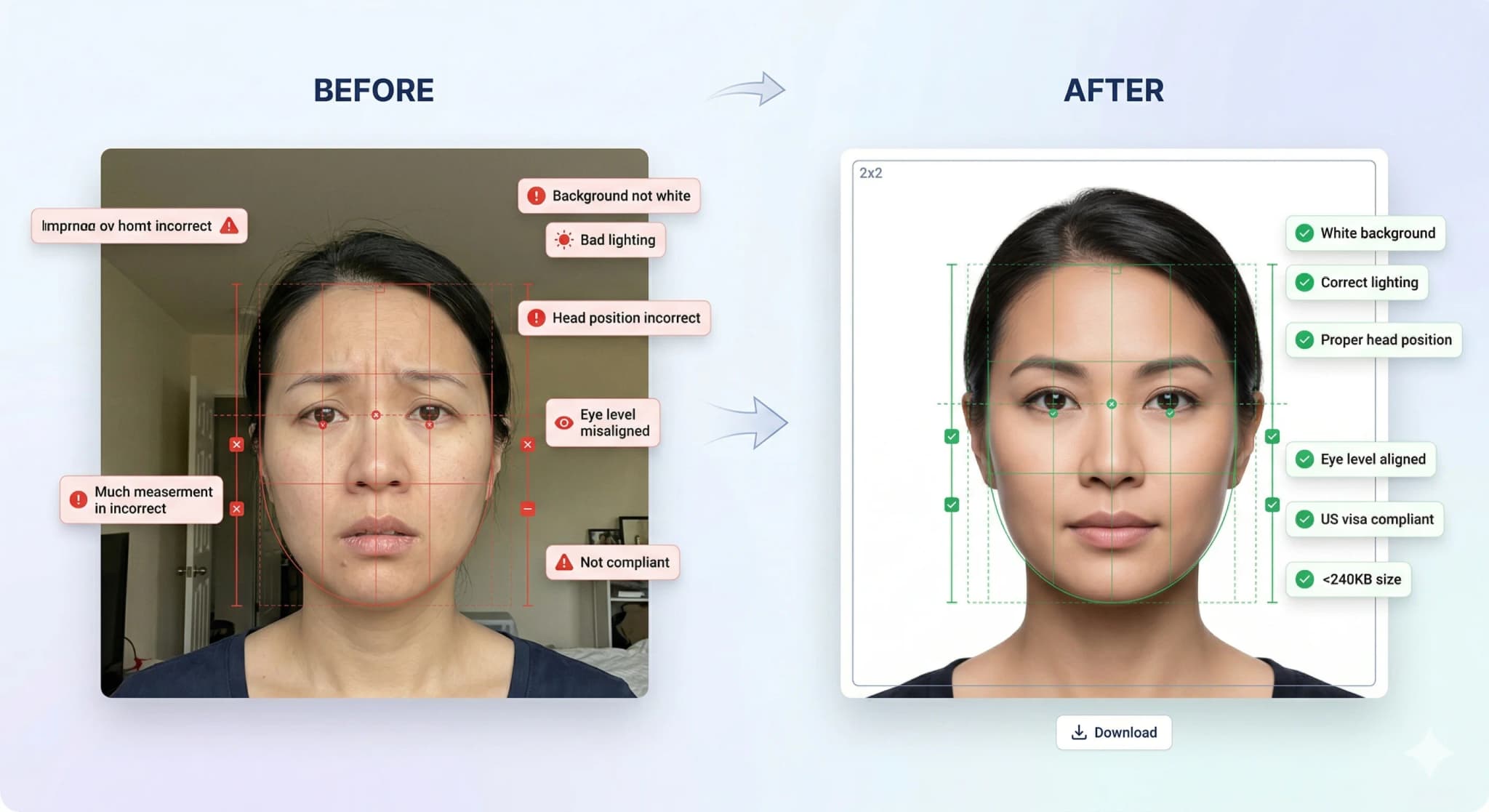
Background Removal
Pure white background
Head Straightening
Corrects tilt & rotation
Lighting Fix
Even, balanced exposure
Smart Crop
Perfect face positioning
Accepted vs Rejected Photos
30% of visa applications are delayed due to non-compliant photos. Don't be one of them.
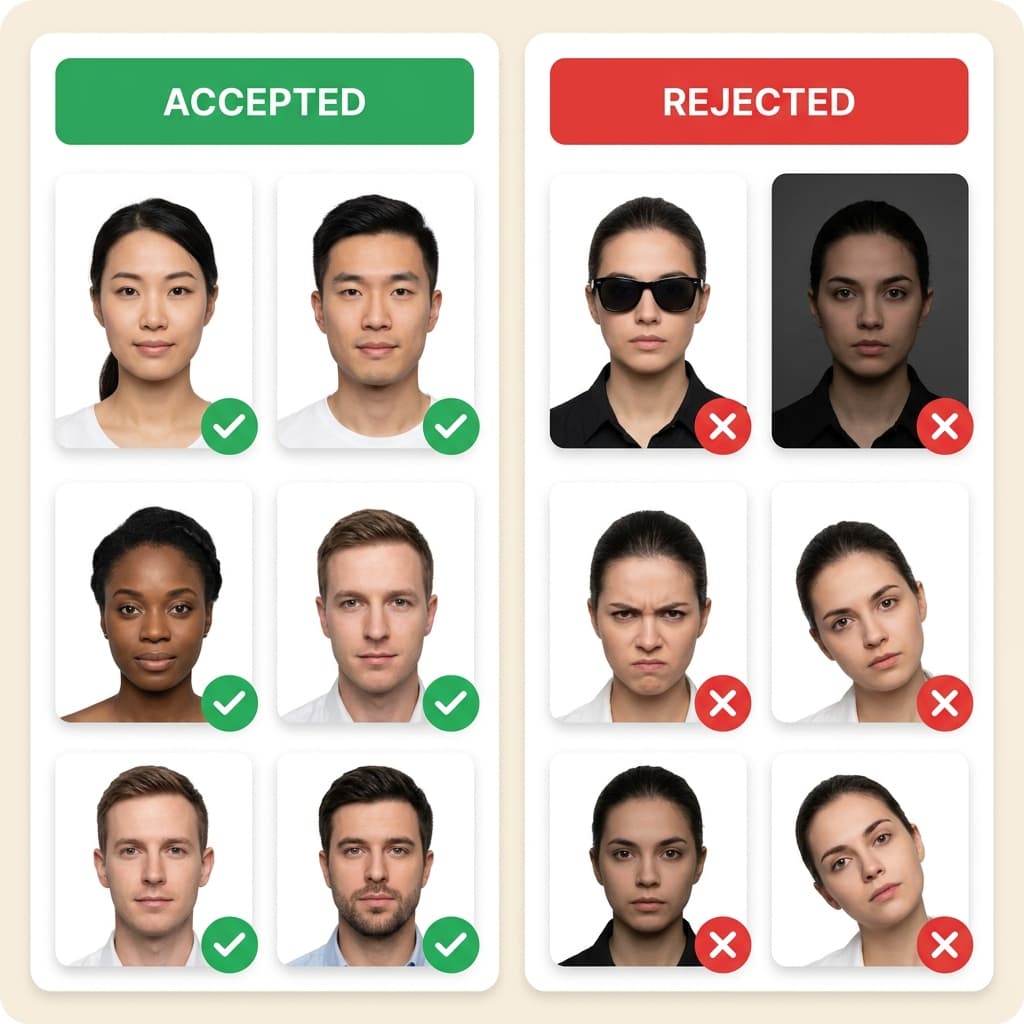
Top Rejection Reasons
- ✗ Wrong background color (not pure white)
- ✗ Wearing eyeglasses or glare on lenses
- ✗ Head tilted or turned off-center
- ✗ Wrong photo millimeter dimensions
Our AI Guarantees
- Pure white background every time
- Auto head straightening & centering
- Exact size per country specs
- 14-point compliance check
...
Photos processed today
99.7%
Acceptance rate
< 30s
Average processing time
3.8/5
Trustpilot rating
Verified Customer Reviews
Real feedback from applicants using PhotoResizer.us for passport & visa photos.
Loved this one
“Loved this one”
Ambar Mishra
Germany (DE)
Relevant
“Clean, fast, and actually does what you need without over complicating things.”
Saurav Ydv
Nepal (NP)
Explored various other but no one…
“Explored various other but no one showing me exact issues and then i found this really helpful.”
Abhishek Srivastava
India (IN)
Very useful tool
“Very useful tool. My visa got approved.”
Zeno
India (IN)
Ready to Get Your Compliant Photo?
Join 500,000+ users who got their visa photos right the first time. It takes less than 30 seconds.
Frequently Asked Questions
Why was my US visa photo rejected?
Can I reuse a rejected photo?
Related US Visa Photo Topics
Explore Further
Ready to fix your photo?
Join 500,000+ applicants who secured their visa photos with our AI. It takes less than 30 seconds.